How do I check my computer’s uptime?
Your computer’s up time is how long your computer has been running since it was last restarted. If it has been running for several days or even weeks, restarting your computer may help resolve minor software issues and improve performance.
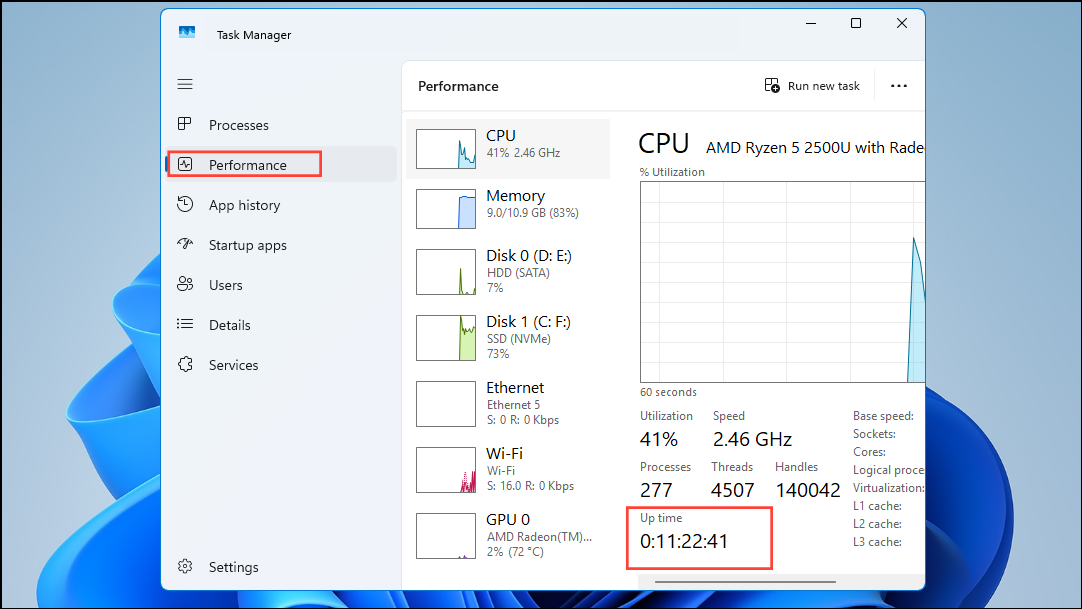
Windows
Press Ctrl + Shift + Esc on your keyboard.
If Task Manager opens in the small simplified view, click More details.
Select the Performance tab.
Click CPU in the left-hand menu.
Look for the Up time field near the bottom of the window.
Tip: Shutting down your computer doesn't always reset the uptime. If Windows has Fast Startup enabled, choosing Restart is the best way to give your computer a completely fresh start.
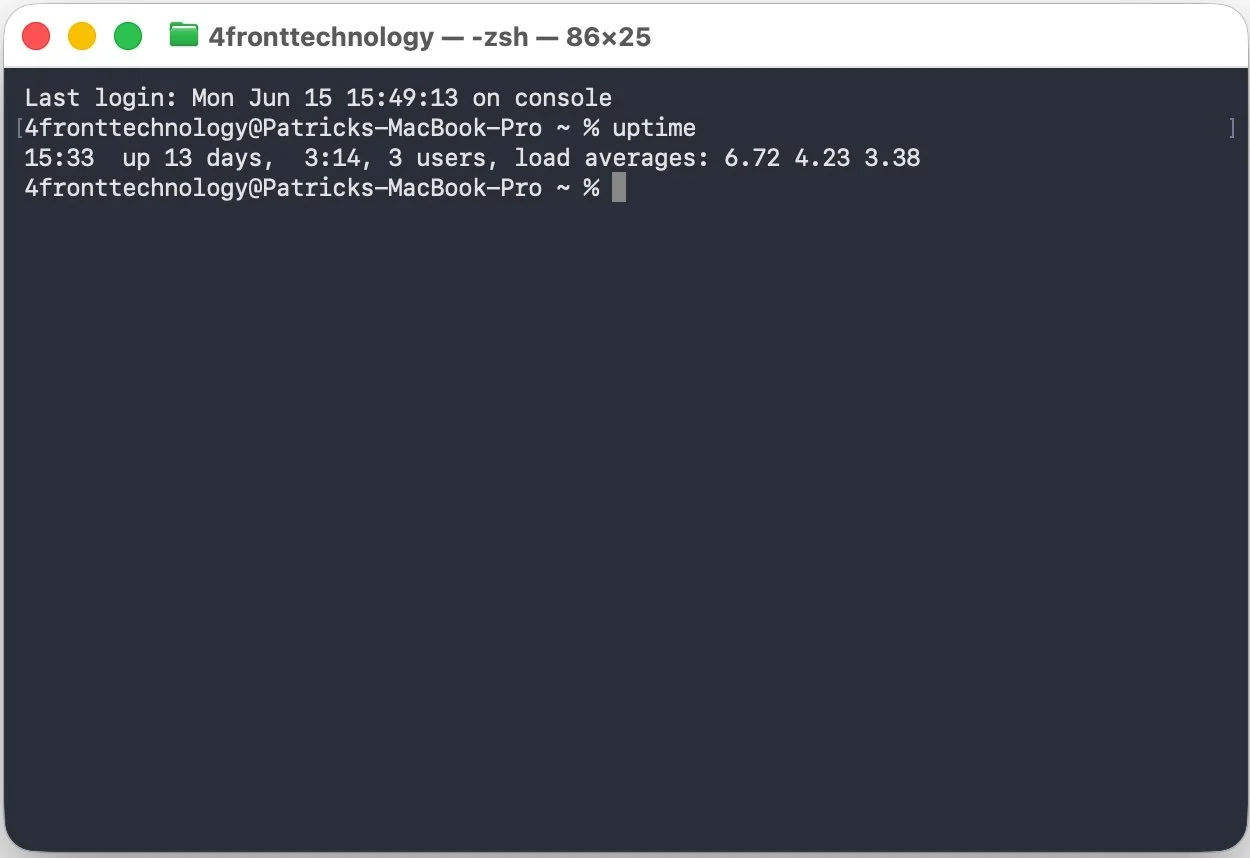
MacOS
Press Command + Space on your keyboard.
Type in Terminal and press Enter.
Type uptime in the Terminal and press Enter.
Look for the number after up.